18. Platform Status
The platform status page gives you a quick overview on how the Connectivity Suite is set up and which certificates are in use.
18.1. Network
18.1.1. Platform
The “Platform” section of the “Network” tab explains visually and in a table how you decided to structure the “Platform Address Block” during installation and what’s the current usage.
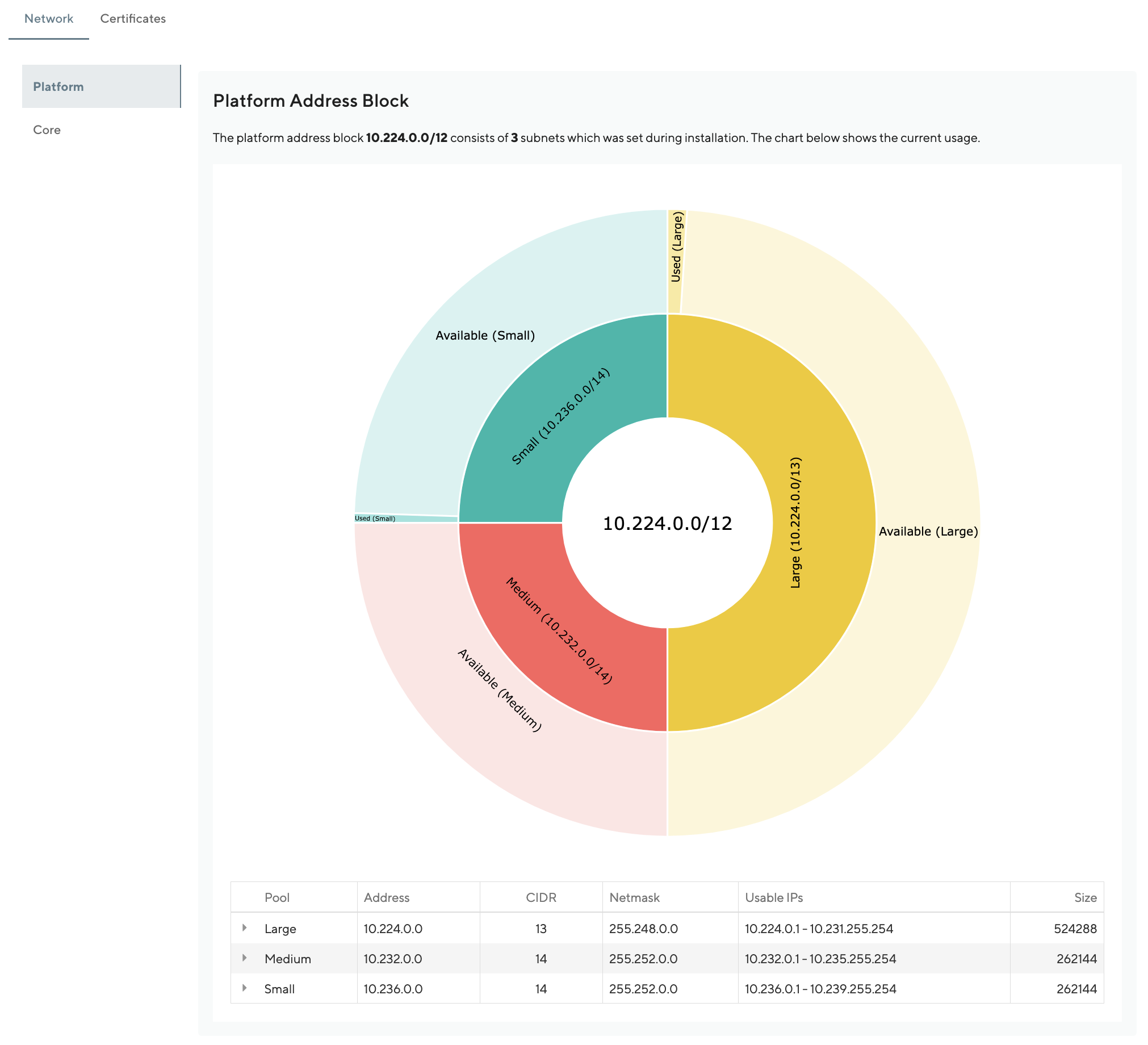
Fig. 18.1 Platform Address Block
18.1.2. Core
The “Core” section of the “Network” tab explains visually and in a table how we structure and use the “Core Address Block” which you had to define during installation.
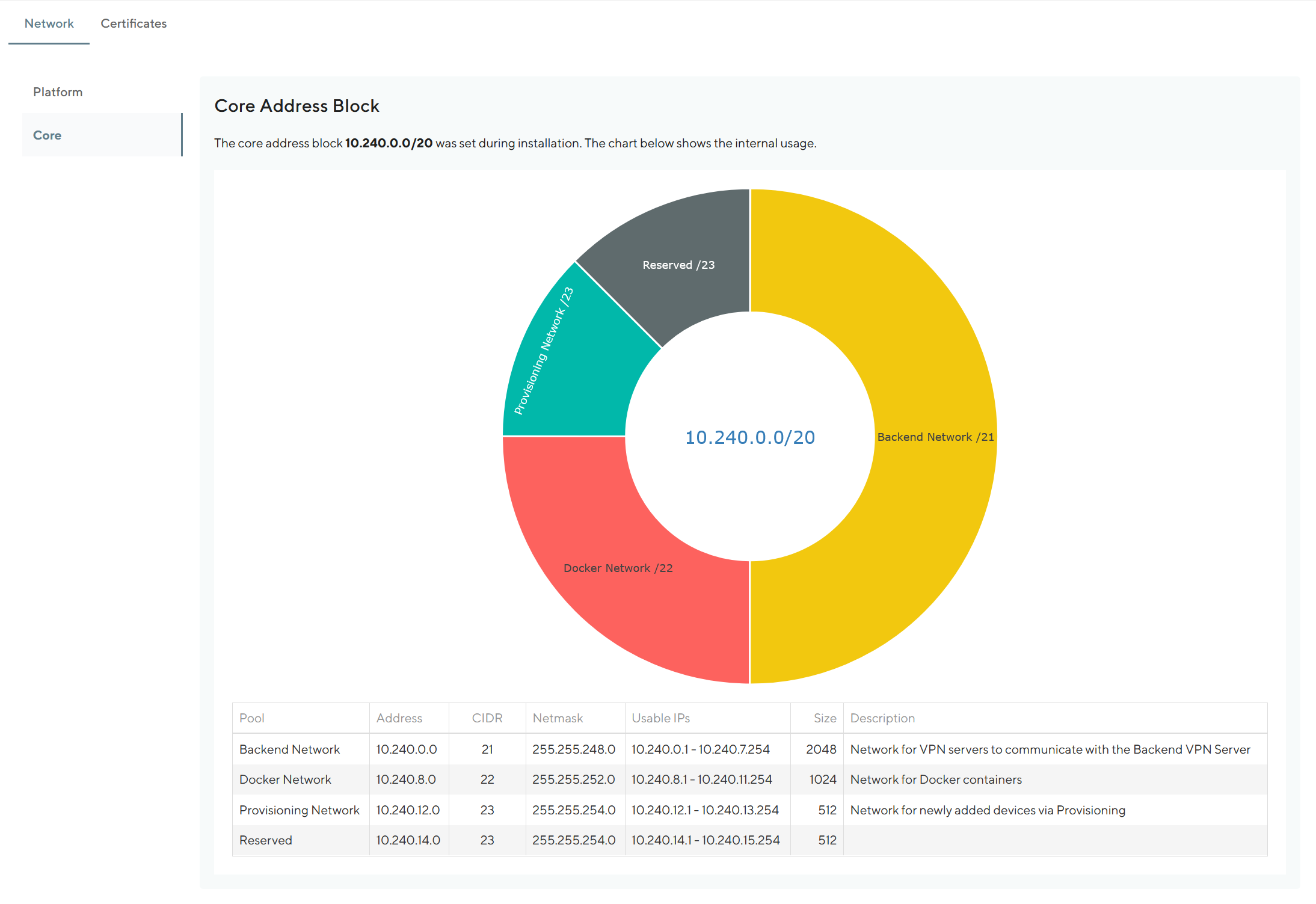
Fig. 18.2 Core Address Block
18.1.3. Network Details Overview
When you navigate to the “Network list” and select a network, the “Overview” tab shows visually and in a table the current usage.
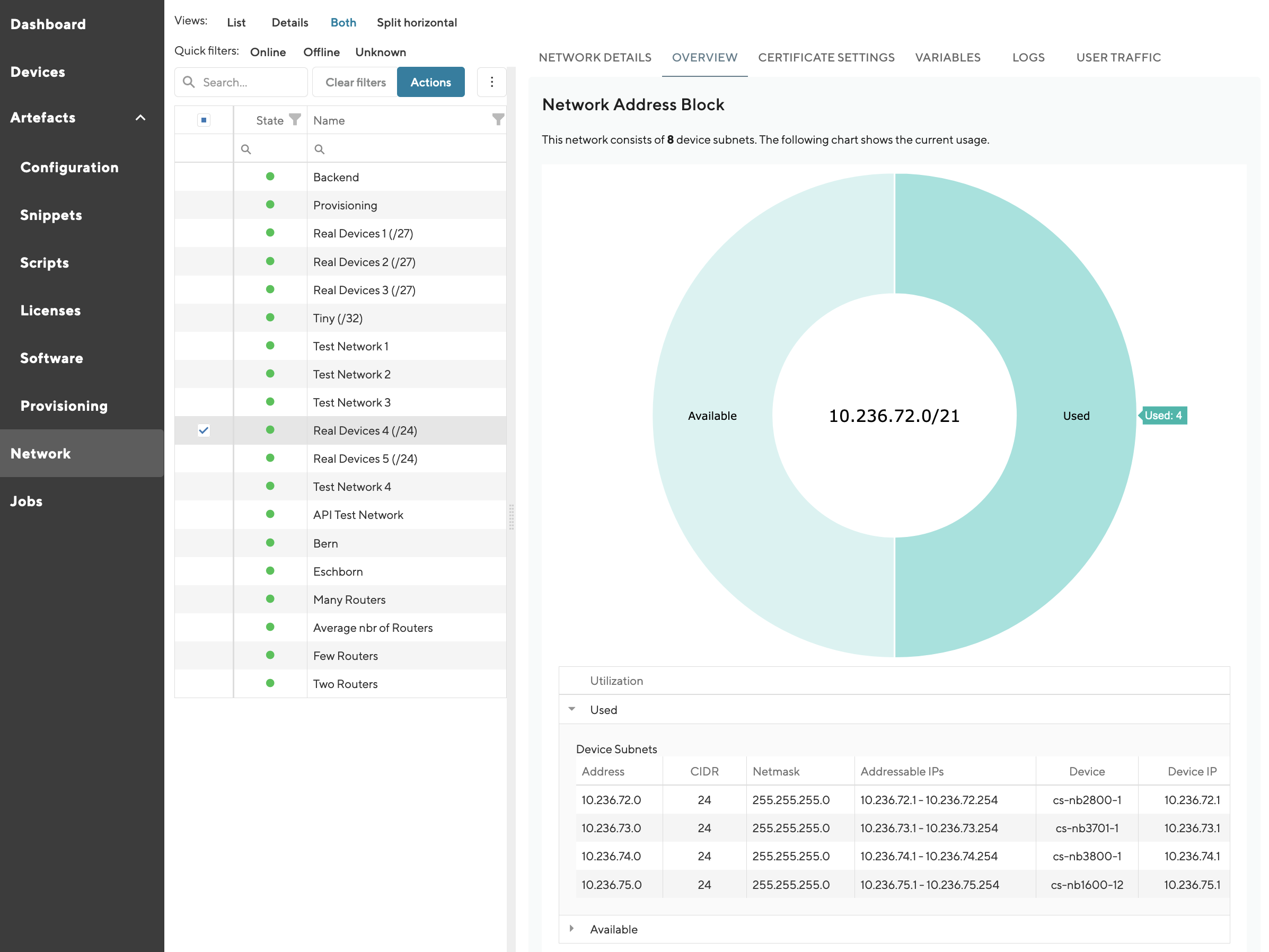
Fig. 18.3 Network Overview
18.2. Certificates
18.2.1. Overview
The “Overview” section of the “Certificates” tab provides a quick view on how many certificates are in use and/or are due for renewal or about to expire soon.
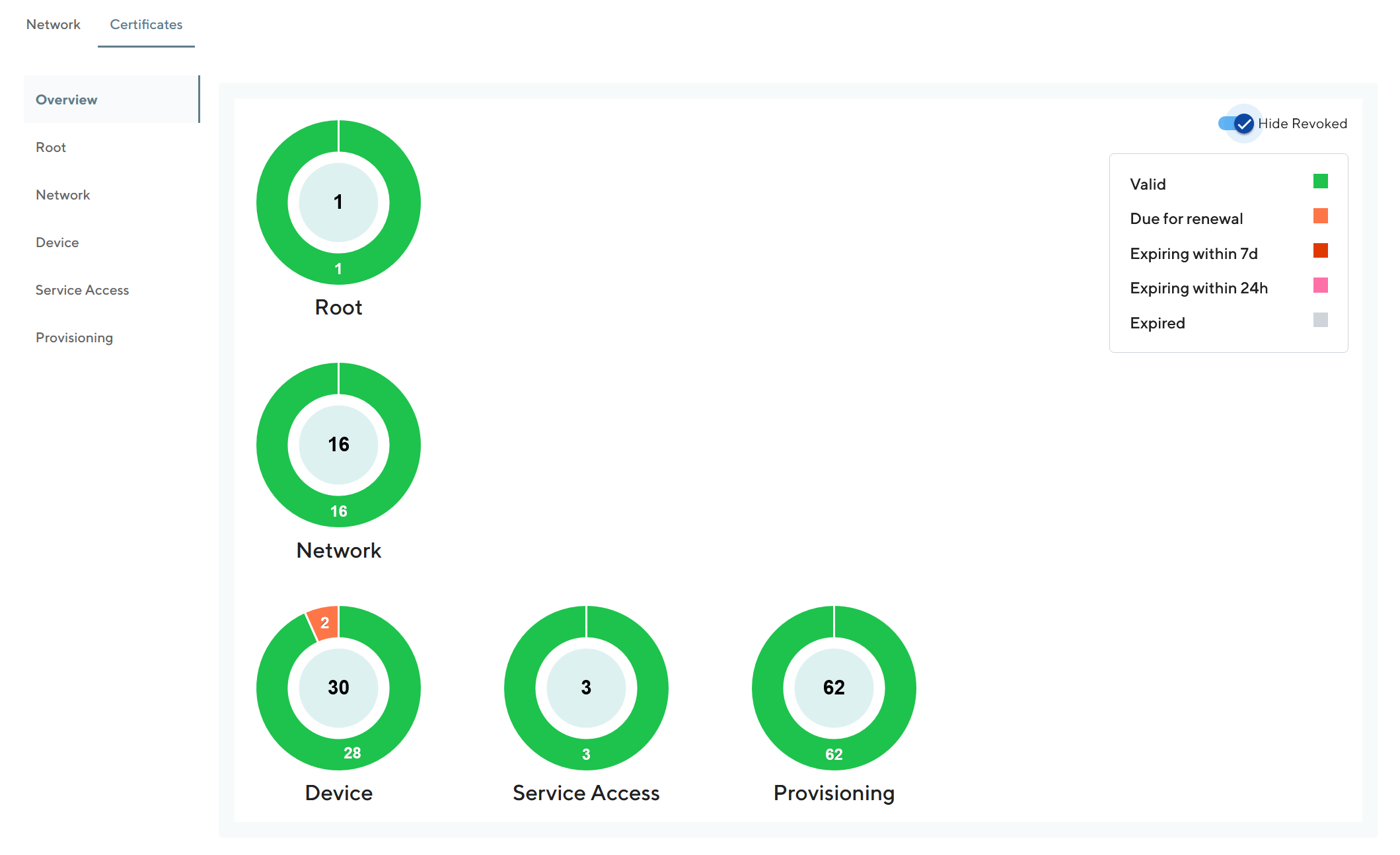
Fig. 18.4 Certificates Overview
18.2.2. Certificate Details
For each certificate type we show you the details of the certificates. The certificate types covered are:
Root
Network
Device
Service Access
Provisioning
Web
Please note that the “Web” tab is only visible to customers not using “Lets Encrypt” for their HTTPS certificates.
Representative for all certificate types, the following screenshot shows the details for Device Certificates:
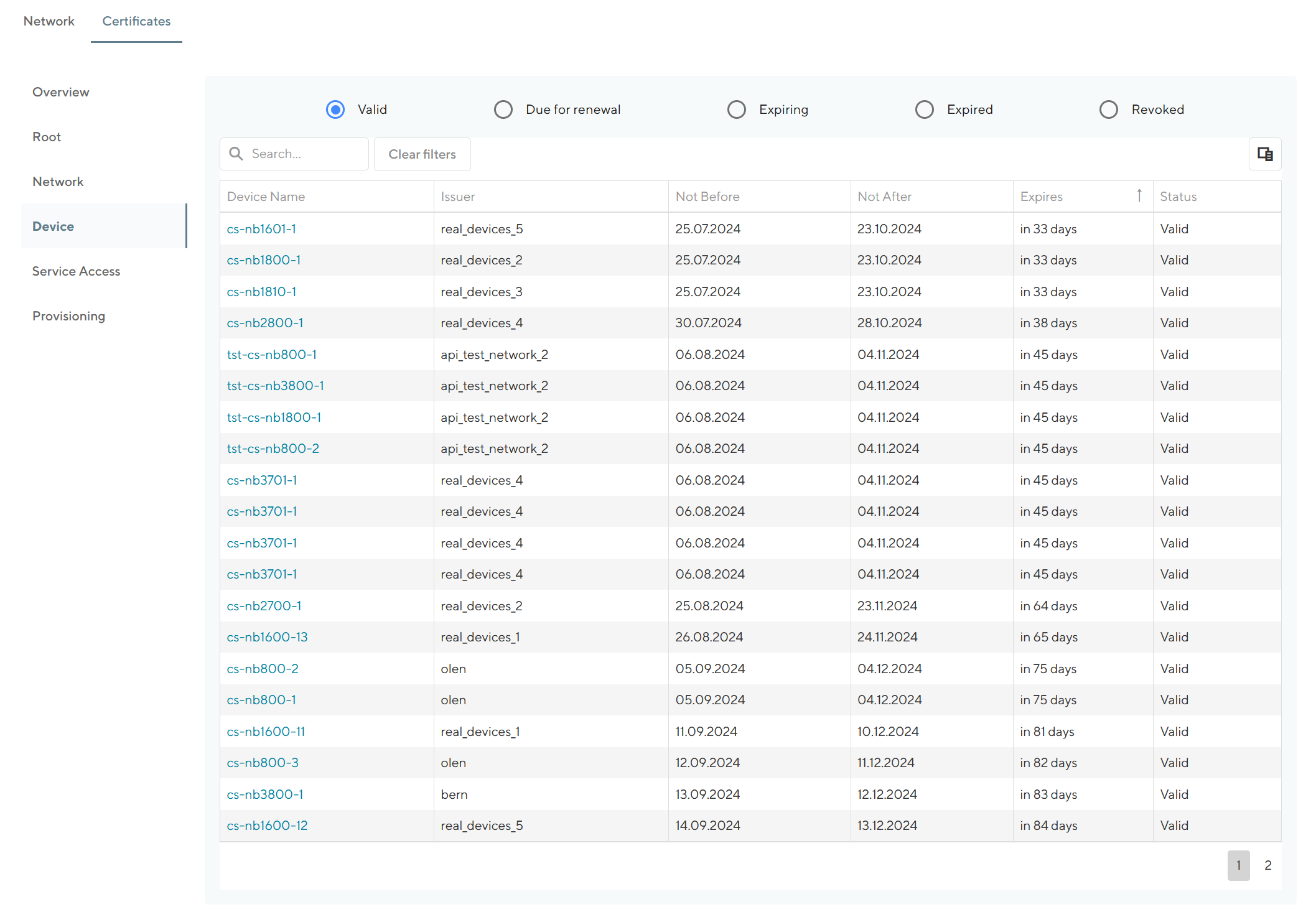
Fig. 18.5 Device Certificates
Links in the grid point to the corresponding entities.